“General” category
Posts in this topic
 The rptools.net nameserver records are moving from HostGator to GoDaddy in the next few days. The email from HostGator says it will take a few days for them to process and they’ll send me a code to use to transfer it to GoDaddy. During that transfer period, there may be outages where the main web site and forums will not be reachable. Don’t freak out!
 RPTools products are open source gaming products. Being open source, they’ve had multiple contributors throughout the years with documentation, forum posts, and tutorials provided by our ever-growing community. At times the sheer volume of information can be off-putting.
-
Four Art Packs from Kristian Richards of Crooked Staff Publishing added to Resource Library
 The MapTool elves have been busy this holiday season. They’ve introduced two new macro functions to produce HTML5 dialogs and frames. The new macro functions frame5() and dialog5() can be used in place of the HTML3 frame() and dialog() macro functions.
 RPTools products are used worldwide and support 11 languages as of this writing. We’ve always relied on volunteers to provide translations for the menus, tooltips, and labels in MapTool and TokenTool. We’ve now made it easier to contribute by leveraging crowdin, a third-party translation site.
 MapTool framework developers often use HTML frames and dialogs for character sheets and other interactive displays utilizing the frame() and dialog() macro functions. However, it has often been challenging to see the actual HTML code generated by MapTool.
 This information applies to MapTool v1.7.0 and prior. Note that these versions are no longer supported and should not be used. This information does not apply to later releases
 RPTools is an international community. We see this on the social sites as well as in our developer group. There are also several native language support sites. Translating the text in MapTool is one of the many ways we support each other.
 This will begin a series of articles on GitHub to help our community better understand what goes into the production of MapTool and TokenTool and how to us it to check on your favorite open source project.
 DPI scaling may affect your MapTool experience in odd ways. We’ve previously discussed the effect on the readability of MapTool text as well as a workaround to fix it.
-
We interrupt our Blast from the Past series to bring you a fix to a potentially irritating problem plaguing Windows 10 users.
 As part of the 1.5.0 release, MapTool included a popup window to allow for multiple-line editing of properties. Prior to this release, you would need to copy a long properties entry to another editor, make your changes, then copy it back. With 1.5, you can simply click into the properties field, then on the down arrow next to the property value to bring up an editing window.
 The spacebar in MapTool has several features that GMs find useful during games.
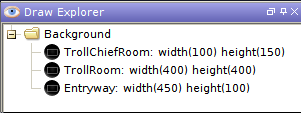 With the release of Maptool 1.5 comes a much-requested feature to the Draw Explorer. You can name drawings or groups of drawings via the Draw Explorer interface. This might not sound like much, but it greatly helps you navigate your way those around large, complex maps.
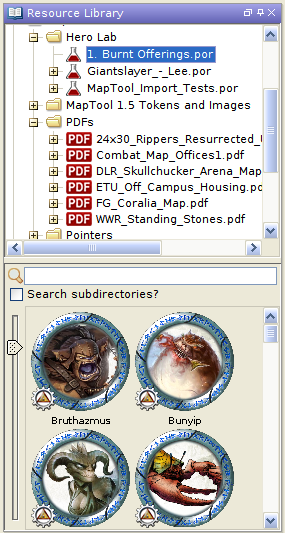 MapTool 1.5 and greater now support PDFs and Hero Lab POR files as part of the Resource Library. You can either place the files in an existing file folder in the LIbrary or add a new folder via the File->Add Resource Library menu.
 New in version 1.5: Pathfinding.
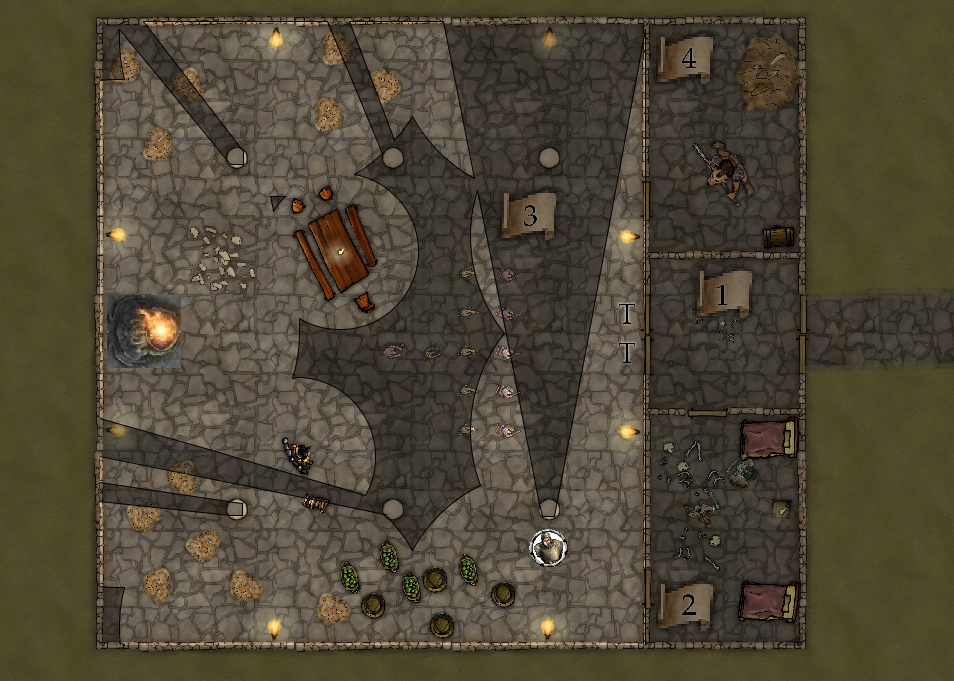
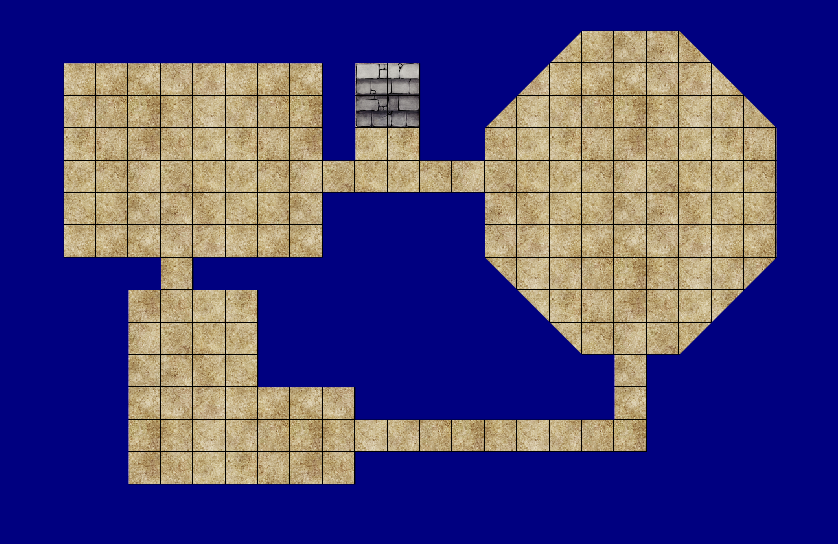 With the introduction of Maptool 1.5 comes a series of additions to the Draw Explorer that should speed map creation. If you draw your dungeon rooms directly in Maptool, you can now build the Vision Blocker Layer in a few simple clicks. Imagine you had built the dungeon shown below entirely with textures (not images):
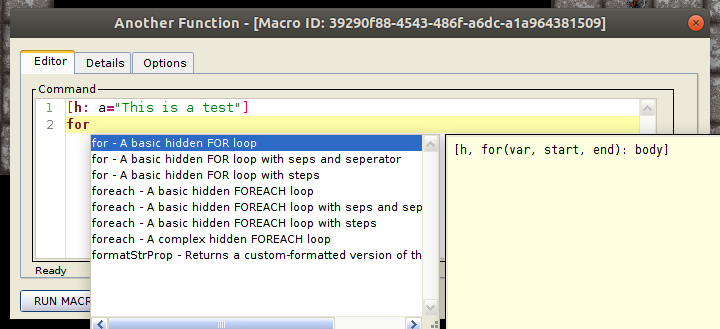 With the release of MapTool 1.5 comes a new macro editor with syntax highlighting and code completion. You no longer need to close the editor to run a macro or save changes. The new editor features:
 MapTool 1.5 now comes bundled with Java so there’ll be no more struggling with Java versions or Java upgrades. You also don’t go through a launcher. Those settings have moved to the Edit->Preferences->Startup tab.
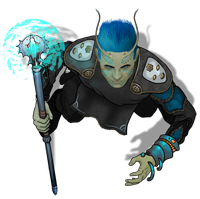 Devin Night has gamed since the early 80’s and is a long-time supporter of RPTools with content in multiple MapTool art packs to his credit. Devin is best known for his overhead tokens which, outside of MapTool art packs, you can find his token site. He can also create customer tokens at reasonable rates in case you roll your own universes or need a specific character token.
 We’re experimenting with a new distribution method by allowing users the ability to download MapTool from DriveThruRPG for free with an optional donation. This is in addition to our traditional Download Page – not a replacement for it. Opening the DriveThruRPG channel does a few things for us.
-
Community member Bhoritz found some great parchment-style maps by Gogots on Deviantart. The artist also provides all the mapping elements to make your own. Gogots gives the authorization to use the maps and elements to post or publish for non-commercial products. There is an associated YouTube channel with explanations on how to use the resources (if you read French). However, the explanations aren’t really needed since the map building is just copy/paste in either Photoshop or Gimp. Below is an example of what you can create.
-
With the release of Maptool 1.4.2 you will have the ability to get a drawing’s properties and apply those to another drawing. You can try this functionality in the Dev/Test Build of MapTool now but we don’t recommend using Dev/Test for your gaming sessions unless you’re the adventurous sort.
-
With the release of Maptool 1.4.2, you will have the ability to merge different drawn elements of your map together. You can try this functionality in the Dev/Test Build of MapTool now but we don’t recommend using Dev/Test for your gaming sessions unless you’re the adventurous sort. If you’re unfamiliar with the Draw Explorer, we detailed its initial functionality in a previous post.
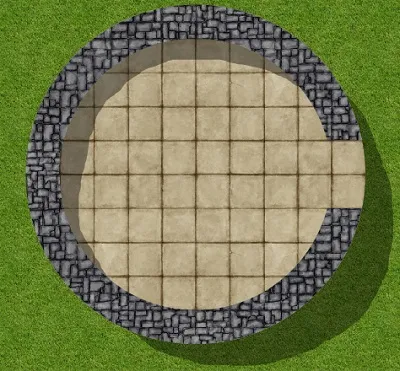 The new feature provided by the Draw Explorer is the ability to group elements of your drawing together. Grouping draws these elements as one effective object. How this differs from elements drawn normally becomes apparent when you include cuts or erasings in your group.
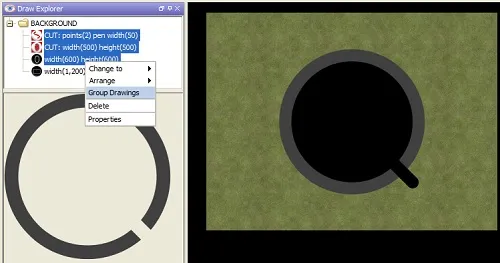 MapTool added the Draw Explorer as a new feature in release 1.4.0.1. This innovation gives GMs access to a tree view of drawings and templates on the current map. From this view, users see a list of elements created with the Drawing and Template Tools. Note: for the purposes of this article, both templates and drawings will simply be called drawings.
-
MTScript is a custom language for writing MapTool macros which grew out of MapTool’s chat functionality. It began simply enough as a way to roll dice. It expanded over time to the point where users create custom gaming frameworks and convenience functions in MapTool to be used by GMs and Players alike. To get a hint of what mtScript can do, check out the User Creations topic in the MapTool forum. To see MTScript taken to the Nth degree see Wolph42’s Bag of Tricks which encapsulates extreme MTScripting. You’ll find support for complete RPG frameworks for a huge number of games systems in Campaign Frameworks.
-
Welcome to RPTools new website. We hope you find the new site cleaner, slicker, and easier to navigate. We’ve added a group of quick links to the sidebar and reorganized the pages a bit including links to the [forums][forums], [Wiki][wiki], user-created frameworks, online communities, and other helpful links to get new users started. We hope you find it more user friendly.
 MapTool Light and Sight